Browser notifications and sound
Show a Chrome notification on the computer running StudyChime, with an optional sound. No external messaging account is required.
 StudyChimeAlerts, filters & trends for Prolific
StudyChime features
StudyChime is an independent Chrome extension that watches the Prolific studies page you keep open and sends private alerts through the notification methods you choose.
It is a notifier, not an auto-accepting tool: it does not refresh Prolific, reserve places, complete studies, submit responses, or act on your behalf.
Notification methods
Every option begins with the same open Prolific studies page in Chrome. Browser alerts stay on the computer; external providers can carry the message to a phone or another signed-in device.
Show a Chrome notification on the computer running StudyChime, with an optional sound. No external messaging account is required.
Send matching study details to a private Discord channel through a webhook you create and control.
Use your own Telegram bot token and chat ID to deliver private messages across devices.
Connect a Pushover user key and application token when you prefer a dedicated push-notification app.
Want alerts on a phone? Compare the setup, privacy considerations and trade-offs in theDiscord vs Telegram vs Pushover phone guide.
Control
Premium controls help reduce noise without changing the studies shown by Prolific.
Set separate GBP and USD reward or hourly-rate rules, completion-time limits, available-place rules, and included or excluded keywords.
Keep one set of filters and its alert schedule together. Switching the active profile changes both the matching rules and permitted alert times.
Choose days and daily windows, then use Premium's local coverage estimate to compare a schedule with previously observed matched studies. The estimate includes sample context and is not a guarantee of future availability.
Select a built-in sound or use a custom alert sound, then adjust the extension accent colour to suit your setup.
Monitoring
The popup reports whether StudyChime is connected and shows the latest Available, Matched and Alerted counts. You can run a manual check, snooze alerts for 30 minutes, or resume them without disabling monitoring.
A local health check can restore StudyChime's monitoring script if Chrome has disconnected it. That recovery is limited to the open studies page and does not refresh, navigate or modify Prolific.
Why alarms and scripting permissions are used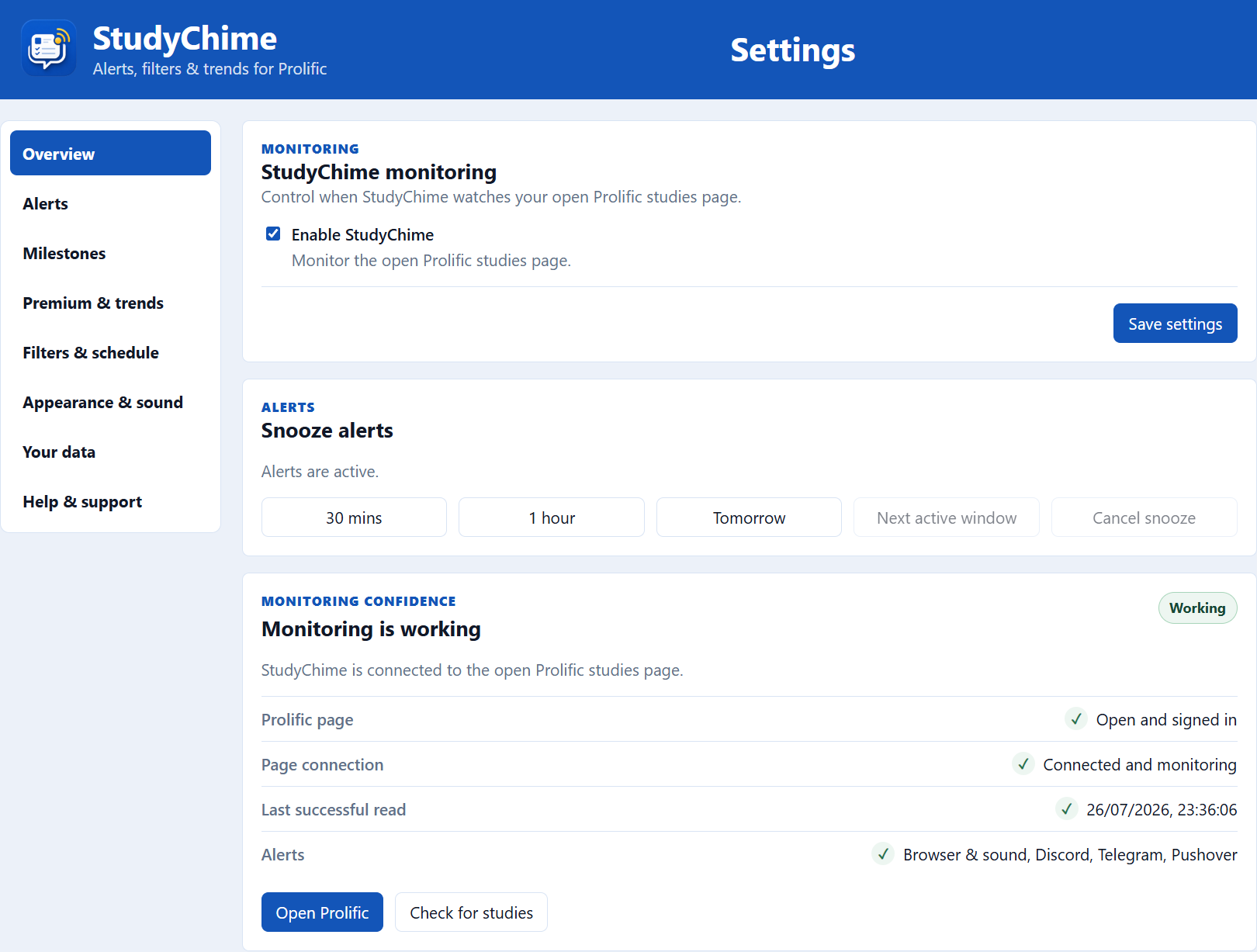
Local milestones
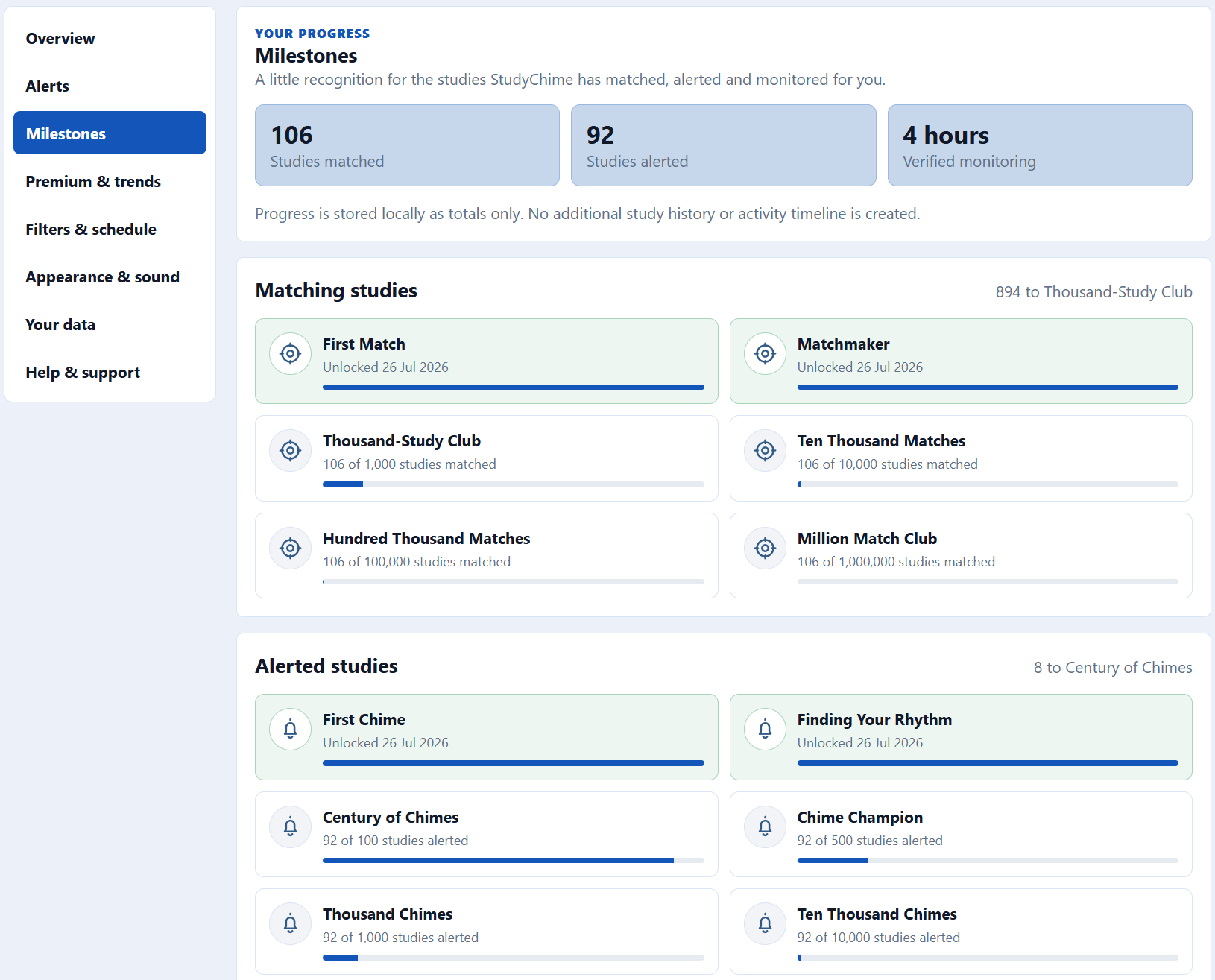
Free and Premium users can unlock milestones for studies that passed the active profile, studies where at least one alert succeeded, and verified monitoring time.
StudyChime keeps only totals and permanent unlocks in local Chrome storage. It does not add study titles, researcher names, descriptions, URLs, or exact activity timestamps, and milestone progress is never sent to StudyChime.
Verified monitoring time counts only between checks that confirm monitoring is enabled and a signed-in Prolific studies page is open and responding. It is not general browsing or computer-usage history.
Local trends and data
Study Trends summarises privacy-minimised observations stored in your browser.
Review counts, time windows, sample strength and separate GBP and USD summaries based only on what StudyChime observed while connected.
Trend records omit study titles, researcher names, descriptions and URLs, and remain local for up to 12 months.
Export non-sensitive settings and profiles. Destination credentials, licence details, identifiers and custom sound files are excluded.
Export or import anonymised numerical observations. Imports add valid rows locally and reject invalid file structures.
Privacy and architecture
Settings and provider credentials stay in Chrome extension storage. Alert contents go directly from your browser to the private provider destination you configure, rather than through a shared StudyChime alert feed.
StudyChime does not ask for your Prolific password, request Chrome cookie permission, or collect your participant ID.
Required access is limited to Prolific pages needed for monitoring and the StudyChime licence service. Provider access is requested only when configured or tested.
Discord webhooks, Telegram credentials and Pushover keys should be kept private and used only with destinations you control.
StudyChime does not pool alert contents into a public feed, community board, or central StudyChime trends database.
Open a support, feature-request, or bug-report draft in your email app. Nothing is sent until you review and send it yourself.
Free and Premium
The free version supports browser alerts and up to 15 external Discord, Telegram or Pushover alerts in a rolling 24-hour period. Premium removes that external-alert limit and unlocks the controls below.
| Feature | Free | Premium£4.99 one-time paymentLifetime access |
|---|---|---|
| Monitor your open Prolific studies page | Included | Included |
| Manual check button | Included | Included |
| Browser notifications and sound alerts | Included | Included |
| Non-sensitive settings backup | Included | Included |
| Local milestones and progress | Included | Included |
| Help, feature request, and bug-report email drafts | Included | Included |
| Discord, Telegram, and Pushover alerts | 15 per rolling 24-hour period | Unlimited alerts |
| Filter profiles with separate GBP/USD rules | - | Included |
| Profile-based alert schedules | - | Included |
| Historical schedule-coverage estimate | - | Included |
| Custom alert sound and accent colour | - | Included |
| Local-first Study Trends with CSV transfer | - | Included |
Complete Quick Start, choose the alert methods you need, and connect the Prolific studies page you keep open.